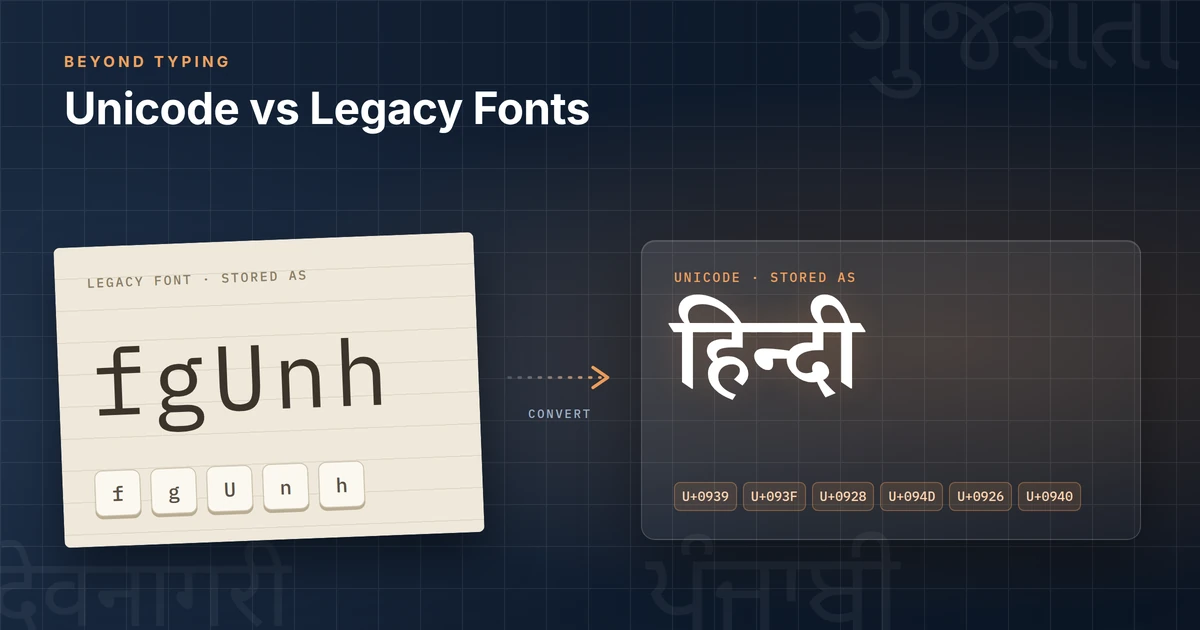
10 Best Indian Language Typing Software Options in 2026: Features, Pricing & Practical Comparison
Choosing the right tool for typing in Hindi, Gujarati, Tamil or any of the other major Indian scripts is still a practical daily problem for many offices, publishers…
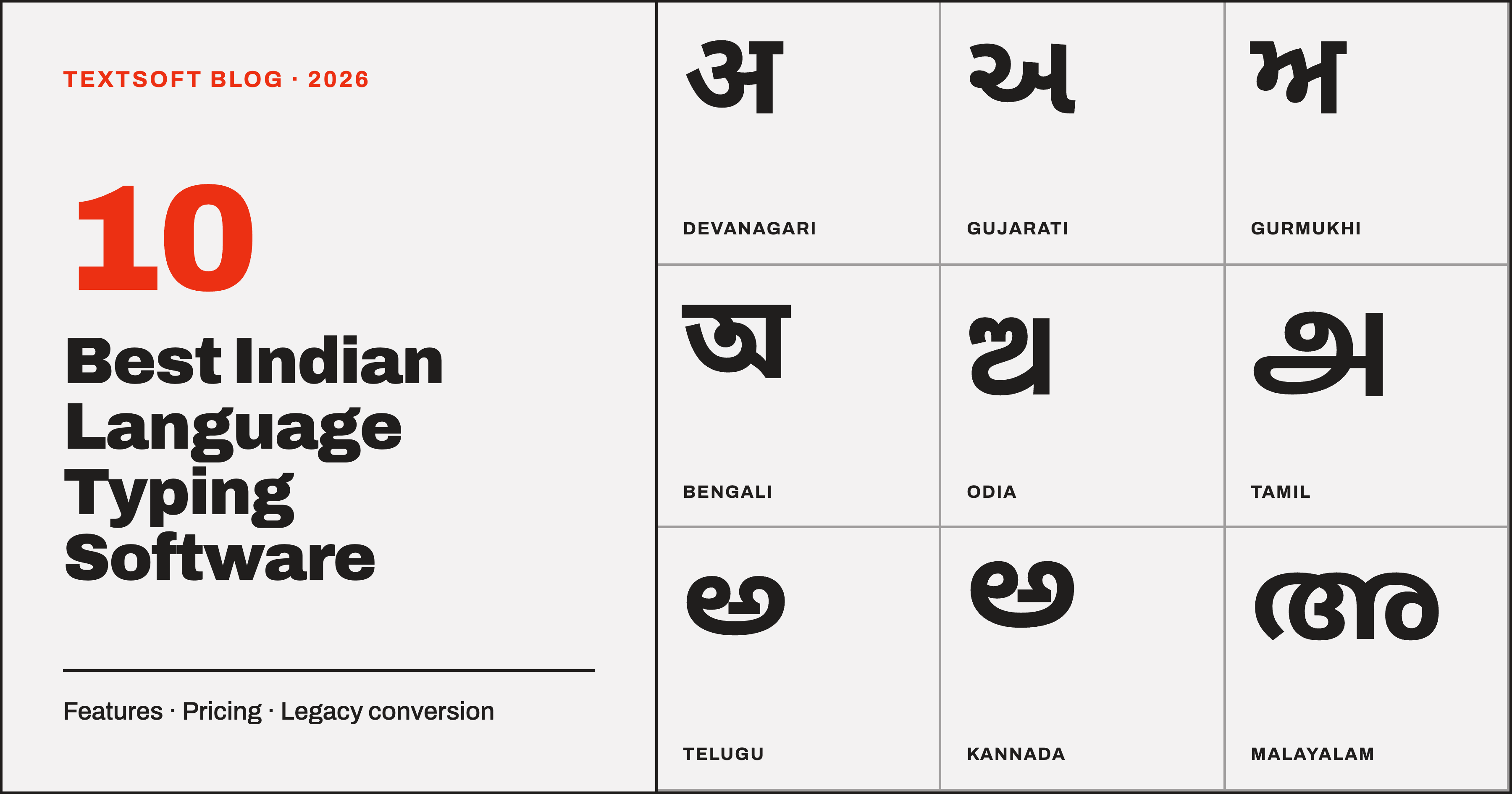
Choosing the right tool for typing in Hindi, Gujarati, Tamil or any of the other major Indian scripts is still a practical daily problem for many offices, publishers and government departments. Legacy fonts that only display correctly on one machine, the need to retrain staff on InScript, and the risk of documents breaking when shared remain common friction points.
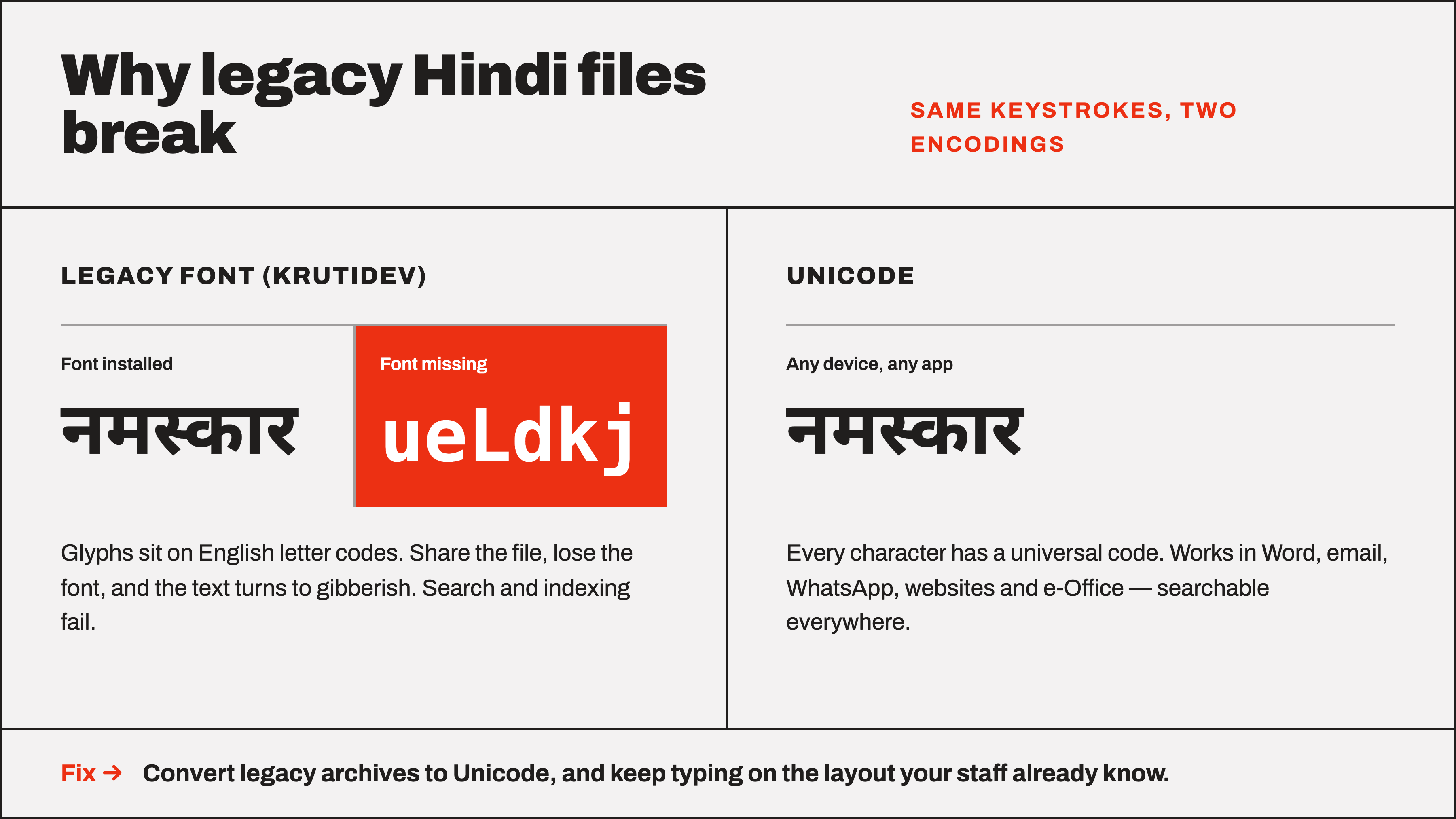
This comparison looks at ten solutions that address system-wide typing, familiar keyboard layouts, and legacy-to-Unicode conversion. The evaluation draws on publicly available product information, focusing on coverage of Indian scripts, offline capability, pricing transparency and real-world workflow fit. TextSoft is included because it is one of the current desktop options that combines multi-script typing with bidirectional conversion.
Table of Contents
Quick Comparison Table
TextSoft
Baraha
Lipikaar
PramukhIME
Keyman
Google Input Tools / Microsoft Indic Input
Windows Built-in Indic Keyboards
Quillpad
Online Unicode Converters
Typing Tutors & Exam Practice Tools
How We Evaluated These Tools
FAQ
Conclusion
Quick Comparison Table
Software | Best For | Key Strengths | Starting Price (approx.) | Free Plan/Trial | Platforms | Notable Consideration |
|---|---|---|---|---|---|---|
TextSoft | Multi-script professional typing + bulk conversion | 13 scripts, 20+ layouts, system-wide, bidirectional file conversion | ₹4,999 + GST one-time | No free plan (one-time licence) | Windows 10/11 | Device-bound licence |
Baraha | Broad Indic editing & IME | Multiple editors, phonetic + InScript, fonts | ~$35–$49 / ₹3,300–4,650 one-time | Trial + limited free mode | Windows | Package choice required |
Lipikaar | Simple rule-based phonetic typing | 18 languages, no sticker memorisation | ~₹799–999 per language/PC (varies) | Short trial | Windows | Per-language packaging common |
PramukhIME | Deterministic phonetic across many languages | Consistent Roman-to-script mapping | Free / request pricing | Free versions available | Windows, browser, Android | Feature set varies by platform |
Keyman | Highly customisable multi-language keyboards | 2500+ languages, open layouts | Free (core) | Free | Windows, macOS, Linux, mobile | Learning curve for advanced use |
Google/Microsoft Indic | Casual / quick transliteration | Free, phonetic | Free | Free | Windows, browser | Limited offline depth / layout control |
Windows Built-in | Zero-install standard typing | InScript + Phonetic native | Free | Built-in | Windows | No dedicated conversion engine |
Quillpad | Browser-based phonetic | Intelligent prediction | Free | Free | Web | Online dependency |
Online converters | One-off legacy conversion | Quick text/file upload | Free | Free | Web | Privacy / volume limits |
Typing tutors | Exam practice & speed | Structured lessons, WPM tracking | Free or low-cost | Often free | Windows / web | Not primary production tools |
1. TextSoft, Multi-Script Typing + Legacy Conversion on Windows
TextSoft is a compact Windows application designed for people who need to type in multiple Indian scripts using the layouts they already know, and who also need to convert older documents that rely on specific legacy fonts.
It provides system-wide input via a global keyboard hook, so text appears in whatever application has focus, Word, Excel, CorelDRAW, billing software, browsers or messaging apps. Users select a script and layout once; an on-screen keyboard shows the current mapping. Chosen legacy fonts can be applied automatically in several common office applications. The converter handles both directions (legacy ↔ Unicode or between legacy families), processes whole .txt/.rtf/.docx files while preserving formatting, reports unmapped characters, and allows a growing user dictionary of corrections.
Best for: Offices, publishers and government teams that still work with mixed legacy archives and prefer familiar vendor or Remington-style layouts rather than retraining everyone on InScript.
Key features:
13 Indian scripts with 20+ layouts (InScript, Remington, vendor-specific, Diacritical)
System-wide typing + on-screen keyboard
Bidirectional legacy ↔ Unicode conversion of text or whole files
Offline after activation; text never leaves the PC
Custom toggle key and app exclude list
Custom layout and font-mapping services available
Pricing: One-time licence ₹4,999 + 18% GST (₹5,899 total). One year of updates and support included. Device-bound (one key, one PC); licence transfer possible on machine replacement. Bulk and custom solutions quoted separately.
Pros:
Combines typing and conversion in one small tool
Preserves existing typing muscle memory
Formatting-aware file conversion with transparency on unmapped characters
Clear one-time pricing and offline operation
Cons / Considerations:
Currently Windows-only (Mac planned)
Licence is device-bound
No free tier for ongoing use
Best suited for: Professional users who need reliable multi-script input plus archive conversion without monthly fees.
Why consider it: For teams that already type on specific legacy layouts and hold large numbers of older documents, TextSoft offers a practical combination of system-wide input and conversion that stays local. Custom work for unsupported layouts or bulk conversion is available directly from the developers. See the TextSoft software page for layout lists and the custom solutions page for organisation-wide needs.
2. Baraha
Baraha is a long-established Windows suite for creating and editing documents in multiple Indian languages. It includes dedicated editors (Baraha, BarahaPad) and an IME (BarahaIME) that works inside other applications, plus font conversion utilities.
It supports phonetic, Brhkbd and InScript-style input across a wide range of scripts and has been used for years for office documents, email and web content.
Best for: Users who want a full Indian-language word-processing environment plus IME.
Key features: Multiple editors, phonetic and standard keyboards, Unicode and ANSI support, font conversion tools, compatibility with major office suites.
Pricing: One-time packages roughly $35–$49 (₹3,300–4,650 range) depending on components; volume discounts available. Trial period plus limited free mode after trial.
Pros: Mature product, broad language coverage, lifetime licence model.
Cons / Considerations: Package selection required; interface can feel dated to some users; primarily Windows.
Best suited for: Organisations already familiar with the Baraha workflow that need both editing and input tools.
3. Lipikaar
Lipikaar focuses on a simple, rule-based phonetic method so users can type Indian languages on a standard English keyboard without memorising complex layouts or stickers. It supports a large number of languages and works inside common Windows applications.
Best for: Users who prefer thinking in their own language rather than learning InScript or Remington mappings.
Key features: Rule-based phonetic input, Unicode output, multi-application support, offline use.
Pricing: Historically around ₹799–999 per language/PC licence (confirm current); short trial periods common.
Pros: Low learning curve for phonetic users; works across many apps.
Cons / Considerations: Often sold per language; less emphasis on bulk legacy-file conversion.
Best suited for: Individuals and small teams prioritising ease of phonetic entry.
4. PramukhIME
PramukhIME provides deterministic phonetic (Roman-to-script) mapping for many Indian languages. Versions exist for Windows, browser and Android, emphasising predictable rather than AI-guesswork conversion.
Best for: Users who want consistent phonetic behaviour across devices.
Key features: Multi-language support, phonetic keyboard, easy language switching.
Pricing: Free versions widely available; some commercial or advanced options may exist.
Pros: Deterministic mapping, multi-platform presence.
Cons / Considerations: Feature depth varies by platform; less focused on legacy font conversion.
Best suited for: Casual-to-professional phonetic typing across Windows and mobile.
5. Keyman
Keyman (by SIL) is a powerful, open keyboarding engine that supports thousands of languages, including extensive Indic layouts (InScript, modular, phonetic and custom). It runs on Windows, macOS, Linux and mobile.
Best for: Users who need maximum flexibility or work with less-common scripts and custom layouts.
Key features: Large keyboard repository, predictive text options, cross-platform, free core product.
Pricing: Free for most use; enterprise or custom development may involve other costs.
Pros: Extremely flexible, actively maintained, multi-platform.
Cons / Considerations: Can require more initial setup than a single-purpose Indian-language tool.
Best suited for: Technical users, linguists and organisations needing custom or minority-script support.
6. Google Input Tools / Microsoft Indic Input
These free tools provide phonetic transliteration for many Indian languages. Microsoft’s older Indic Input and Google’s tools remain popular for quick entry.
Best for: Occasional or browser-based typing with minimal setup.
Key features: Phonetic input, multi-language support, free.
Pricing: Free.
Pros: Zero cost, easy start.
Cons / Considerations: Less control over exact layouts; limited offline depth for older Microsoft tools; not designed for bulk legacy conversion.
Best suited for: Casual users and those who mainly type in browsers or Office with simple phonetic needs.
7. Windows Built-in Indic Keyboards
Windows 10 and 11 include native Hindi (and other Indic) language packs with both Phonetic and InScript layouts. No extra software is required.
Best for: Users who want a zero-install, officially supported solution for standard Unicode typing.
Key features: System-level input, InScript and Phonetic options, free.
Pricing: Free (included with Windows).
Pros: Secure, always available, no extra licence.
Cons / Considerations: No dedicated legacy-font conversion engine; limited to the layouts Microsoft ships.
Best suited for: Everyday Unicode typing where legacy conversion is not required.
8. Quillpad
Quillpad is a free web-based intelligent transliteration tool that converts Roman input into several Indian scripts with prediction.
Best for: Quick browser-based typing without installing software.
Key features: Phonetic with suggestions, multiple languages, free.
Pricing: Free.
Pros: No install, intelligent suggestions.
Cons / Considerations: Requires internet; not system-wide or offline for production work.
Best suited for: Occasional online composition.
9. Online Unicode Converters
Sites offering real-time Krutidev/Chanakya/etc. ↔ Unicode conversion (text or simple file upload) remain useful for one-off jobs.
Best for: Quick conversion of small amounts of legacy text without installing desktop software.
Key features: Instant conversion, often free, multiple popular fonts.
Pricing: Free (most).
Pros: Immediate, no install.
Cons / Considerations: Privacy considerations for sensitive documents; volume and formatting limits; not suitable for large archives or ongoing typing.
Best suited for: Occasional conversion tasks.
10. Typing Tutors & Exam Practice Tools
Tools focused on teaching InScript or Remington layouts and measuring WPM/accuracy (examples include Sparsh-style tutors and various exam-oriented suites) help candidates prepare for government typing tests.
Best for: Students and job-seekers practising for SSC, state board or similar exams.
Key features: Structured lessons, speed tests, layout-specific practice.
Pricing: Often free or low-cost.
Pros: Purpose-built for skill building.
Cons / Considerations: Not production typing or conversion tools.
Best suited for: Exam preparation rather than daily office work.
How We Evaluated These Tools
Criteria were drawn from publicly documented features on official product pages: script coverage, layout options, system-wide input, conversion capabilities (especially whole-file and bidirectional), offline behaviour, pricing transparency, and platform support. No paid reviews, fabricated scores or unsupported claims were used. Pricing and feature details should be re-verified on the vendors’ sites before purchase, as they can change.
FAQ
What is Indian language typing software?
Tools that let users input text in Indian scripts (Devanagari, Tamil, etc.) on a standard keyboard, often via phonetic, InScript or traditional layouts, and sometimes convert older non-Unicode fonts.
Which features matter most for professional use?
System-wide input, support for the layouts staff already know, reliable legacy-to-Unicode conversion that preserves formatting, and offline operation.
How much does this category of software cost?
Ranges from free (OS built-ins, some online tools) to one-time licences of a few thousand rupees. Subscription models are less common in this niche.
Is free software enough?
For basic Unicode typing, yes (Windows built-in or Google tools). For bulk legacy conversion or specialised layouts, a dedicated tool is usually more efficient.
Which option suits small businesses or government offices?
Tools that combine familiar layouts with conversion and clear licensing (such as TextSoft or Baraha) tend to fit better than pure online converters.
What should users consider before switching?
Existing keyboard muscle memory, the size of legacy archives, whether offline use is required, and total cost of ownership including training.
Is TextSoft suitable for multi-script offices?
It supports 13 scripts with many traditional layouts and includes conversion; custom layout work is available for specialised needs. Confirm current script and layout lists on the product page.
Conclusion
No single tool is ideal for every user. Casual phonetic typing is well served by free options (Windows built-in, Google tools, Quillpad). Users who need deterministic multi-language phonetic input may prefer PramukhIME or Lipikaar. Organisations with large legacy archives and staff who type on long-established layouts will find more complete solutions in desktop packages that combine input and conversion.
TextSoft sits in the latter group: a focused Windows tool that offers system-wide typing across 13 scripts with the layouts many Indian offices already use, plus bidirectional whole-file conversion that keeps formatting and reports problems. For teams that prioritise offline operation, one-time pricing and the ability to request custom layouts or bulk conversion, it is one practical option to evaluate alongside the alternatives above. Always test with your own documents and confirm current pricing and platform support directly with the vendors.
Type in every script, the right way
TextSoft brings system-wide typing in 13 Indian scripts and accurate font conversion to Windows.
Get TextSoft